Recent Post

Is Artisan Or Agriculturist Better Stardew Valley Profession Comparison ...
Reaching Level 10 in the Farming skill in Stardew Valley presents players with one of the most critical decisions in the game: choosing between Artisan and Agriculturist. Both professions branch off from the Level 5 Tiller profession, offering unique perks that dramatically alter how your farm generates income. Deciding which skill best fits your personal playstyle depends on whether you focus on rapid crop turnover or high-value processed goods.
The Power of the Artisan Profession
The Artisan profession increases the sell price of processed goods such as wine, cheese, mayonnaise, jelly, and cloth by a massive 40 percent. This value boost applies to nearly all products created using kegs, preserves jars, looms, and oil makers. Because processing raw crops into artisan goods already yields higher profits, adding this extra percentage makes it the most lucrative option in the game.
Players who set up vast keg setups for ancient fruit or starfruit wine gain the most benefit from this perk. The sheer gold output generated per harvest cycle with Artisan easily outpaces standard raw crop sales. Consequently, it remains the primary choice for mid-to-late game players focused on maximizing their total wealth.
Understanding the Agriculturist Advantage
On the other hand, selecting the Agriculturist profession causes all crops to grow 10 percent faster when planted. This speed boost stacks with various fertilizers, allowing players to squeeze additional harvest cycles out of short seasons. For farmers focused on raw crop production, shorter growth periods translate directly to more frequent yield windows throughout the year.
This path is ideal for players who dislike managing processing equipment or prefer immediate returns on raw harvests. It offers a more active farming pace without requiring hundreds of preserve jars or kegs filling up your farm space. Furthermore, the accelerated growth speed helps fulfill specific seasonal quests and shipping goals much earlier.
Comparing Profit Margins and Effort Levels
When comparing long-term earnings, Artisan overwhelmingly wins in terms of pure profit per individual item sold. A single bottle of Starfruit Wine or Aged Cheese delivers unmatched financial returns that raw crop speed cannot match. However, maintaining an artisan farm requires significant capital investment in machinery and patience while items process.
In contrast, Agriculturist offers a lower barrier to entry and less daily operational overhead for casual players. You do not need to constantly harvest, store, and transfer crops into processing machines every few days. The decision ultimately boils down to whether you prefer high-margin patience or fast-paced raw harvesting.
Can You Change Professions Later?
Fortunately, Stardew Valley allows players to re-spec their profession choices at any point during their playthrough. By visiting the Statue of Uncertainty located inside the Sewers, you can reset your Farming skill choices for a small gold fee. This flexibility enables you to utilize Agriculturist early on for rapid growth and switch to Artisan once your processing infrastructure is ready.
Ultimately, both paths provide strong benefits tailored to different stages of farm development. Evaluating your current setup will help you pick the best profession to thrive in Pelican Town.
Champion Victor Lies Of P Boss Strategy And Recommended Builds ...
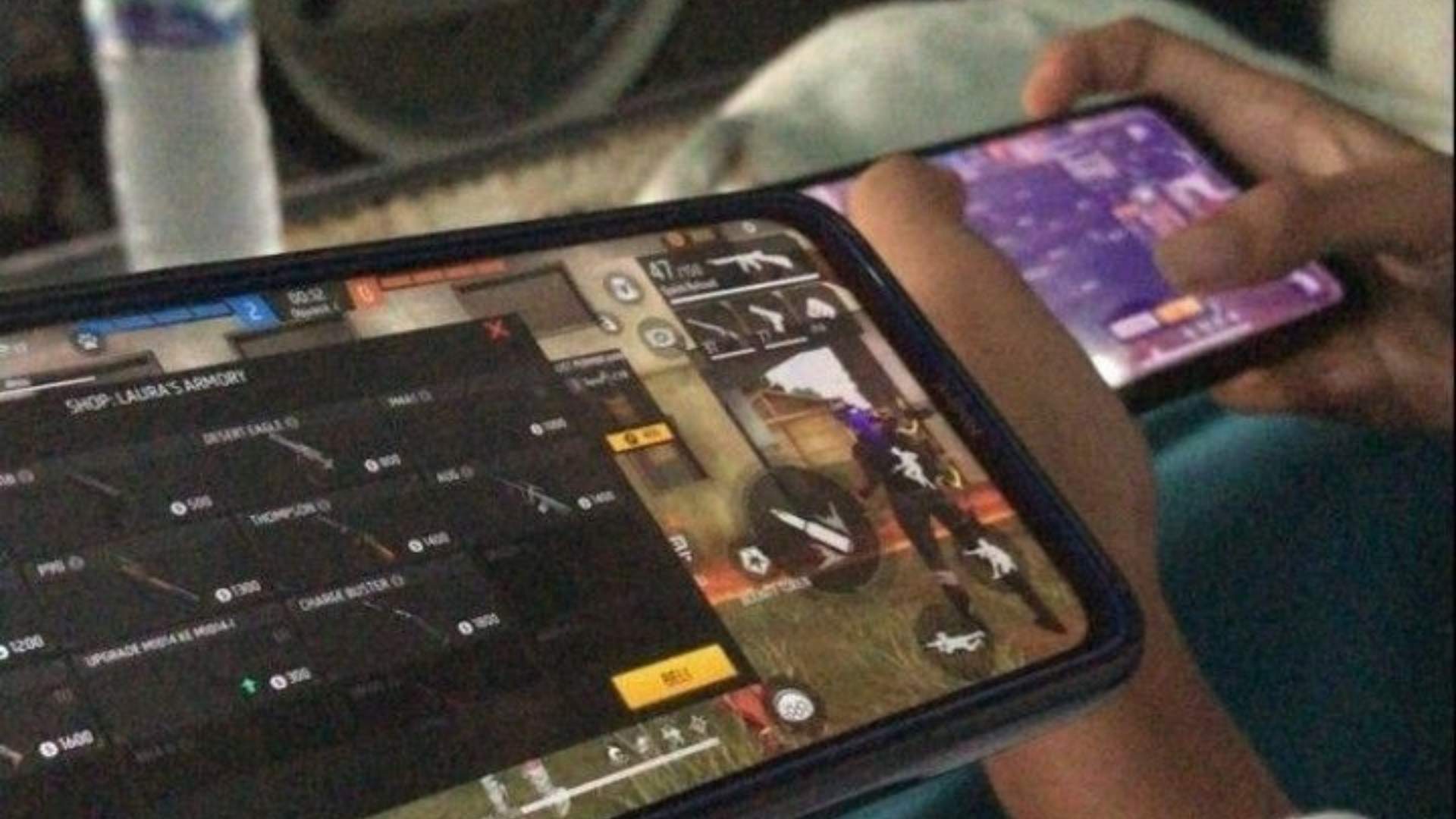
Champion Victor serves as one of the most formidable physical encounters in Lies of P, testing a player's mastery over dodging, parrying, and stamina management. Located in the Grand Exhibition, this brawler relies on brutal hand-to-hand combat and rapid charge attacks that can quickly overwhelm unprepared players. Defeating him requires understanding his rhythmic movement, recognizing phase transitions, and equipping gear optimized for counter-attacking heavy physical aggression.
Understanding Champion Victor's Phase 1 Attack Patterns
In his opening phase, Champion Victor relies heavily on straightforward pugilistic moves, including jab combinations, overhead slams, and wide sweep attacks. His movements are relatively telegraphed, allowing players who time their perfect guards or dodges to find clear punishment windows right after his heavy swings. Maintaining a slight distance helps lure out his predictable running grab, which can easily be dodged sideways to land strong charge attacks.
Surviving the Aggressive Second Phase
Once Victor injects himself with Ergo during the mid-fight cutscene, his aggression and attack speed increase dramatically. He gains multi-hit flurry attacks, faster gap-closers, and erratic recovery times that leave smaller openings for counterattacks. During this phase, dodging toward his left hip often provides safer positioning than backstepping, as his wide hitboxes frequently catch players trying to retreat straight backward.
Best Weapon Choices and Recommended Builds
A Motivity-focused build utilizing heavy weapons like the Holy Sword of Ark or the Wrench Head paired with a booster handle works remarkably well against Victor. These high-stagger setups allow players to capitalize on brief openings to deal massive stance damage and trigger fatal attacks. Alternatively, Advanced builds leveraging Fire or Acid elemental damage can wear down his large health bar continuously while maintaining focus on defense.
Optimal Legion Arms and Amulet Synergies
The Aegis Legion Arm provides essential security during Victor's relentless phase two flurries, allowing players to block incoming damage while dealing counter-damage safely. Pairing this defense with the Patience Amulet speeds up stamina recovery, which is critical for executing frequent dodges against his aggressive combinations. Additionally, equipping the Arm of God Amulet rewards players who maintain continuous offensive pressure during his recovery animations.

Dragon Pulse TM Legends ZA Location And How To Get It ...
In Pokémon Legends: Z-A, acquiring powerful special moves is essential for optimizing your team's offense throughout Lumiose City. Among the most sought-after Dragon-type moves, TM075 Dragon Pulse delivers reliable damage without negative drawbacks. Finding this technical machine requires exploring specific rooftop areas and navigating urban obstacles.
Where to Find Dragon Pulse TM
The Dragon Pulse TM is hidden on a rooftop in the city environment near the Rust Syndicate territory. Trainers should travel toward the designated sector and look for a tall structure equipped with an exterior ladder. Climbing to the elevated platform brings you closer to the hidden item location.
Once atop the initial building, cross the narrow roof pathways to reach the adjoining roof. You will spot a small cluster of bamboo trees planted on the rooftop. Search carefully among the bamboo leaves to uncover the golden Poké Ball containing the TM.
Step-by-Step Retrieval Guide
Start your journey by heading toward the targeted building district in Lumiose City. Clear away any obstructive obstacles or crystals near the building base to access the ladder. Ascend to the roof and locate the adjacent rooftop garden.
Walk along the connecting wall or glide across to reach the bamboo garden area. Interact with the item pickup hidden within the greenery to obtain TM075 Dragon Pulse. This item immediately unlocks the move for eligible Pokémon in your roster.
Combat Utility and Benefits
Dragon Pulse provides a strong special Dragon-type attack with high accuracy and reliable consistency. Unlike Draco Meteor, it does not lower the user's Special Attack stats during extended battles. This makes it an ideal choice for special attackers facing dangerous opponents.
Teaching this move enhances your coverage against Dragon-type rivals in major story battles and post-game challenges. Having immediate access to a consistent Dragon move gives your team a major tactical advantage.

How Do You Make The Wither In Minecraft Wither Summoning Guide ...
Summoning the Wither in Minecraft is one of the most thrilling milestones a player can experience during a survival playthrough. Unlike standard hostile mobs that spawn naturally in the wild, this powerful three-headed boss must be intentionally constructed by the player using specific resources found in the Nether. Learning how to build the required structure properly ensures that your preparation leads to a successful boss fight rather than a wasted effort.
Gathering the Required Materials in the Nether
Before attempting to summon the Wither, you must collect four blocks of Soul Sand or Soul Soil from the dangerous Nether dimension. Additionally, you need to defeat Wither Skeletons inside Nether Fortresses until you obtain three Wither Skeleton Skulls. Using a sword enchanted with Looting III significantly increases the drop rate of these rare skulls during your farming sessions.
Constructing the Wither Spawning Structure
To construct the physical frame, place four Soul Sand or Soul Soil blocks into a classic T-shape arrangement on the ground. Next, place the three Wither Skeleton Skulls across the top three blocks of the structure. It is essential that the final skull placed triggers the spawn, so ensure no surrounding blocks, such as tall grass, interfere with the base.
Preparing for the Initial Boss Explosion
As soon as the last skull is positioned on top of the frame, the Wither will materialize and begin charging up. During this brief initial phase, the creature becomes invulnerable while rapidly filling its health bar. Once fully charged, it creates a massive explosion that destroys surrounding blocks and deals heavy damage to nearby players.
Choosing the Ideal Arena Location
Spawning the boss near your home base can result in catastrophic structural damage due to its destructive attacks. Many experienced players prefer summoning the entity deep underground inside narrow bedrock or obsidian tunnels to limit its mobility. Creating a controlled battle arena makes it far easier to manage projectile attacks and secure the valuable Nether Star drop upon victory.
XCOM 2 PC Controller Support Setup And Compatibility Guide ...
Playing tactical turn-based strategy games on PC with a controller provides a relaxed couch gaming experience without sacrificing tactical depth. While XCOM 2 originally launched with a heavy focus on keyboard and mouse controls, full native controller compatibility has made command operations far more accessible for gamepad players. Understanding how to configure your settings properly ensures smooth soldier management during intense alien encounters.
Enabling Native Controller Support in XCOM 2
Activating controller functionality in XCOM 2 requires navigating directly into the in-game options menu. Players must open the Interface tab and change the primary Input Device setting from Mouse to Controller. Once enabled, the user interface immediately updates to display Xbox button prompts across all main screens.
For optimal detection, ensure your gamepad is fully connected to your computer before launching the game executable. Connecting a controller mid-game can occasionally cause the application to ignore the new input device. Launching the game via Steam Big Picture mode helps secure automatic detection for various hardware setups.
Steam Input Configurations and Settings
Steam Input offers extensive customizability for players using non-standard gamepads or modern controllers with back paddles. However, conflicts can occur if Steam attempts to overlay custom keybinds on top of native game controls. Disabling desktop configuration overrides in Steam settings often resolves unexpected camera or movement glitches.
If you prefer full control customization, setting the game input to mouse while using Steam Input emulations provides an alternative setup. This method maps keyboard commands directly to your gamepad layout without triggering native interface conflicts. It serves as an excellent fallback strategy for custom layout enthusiasts.
Resolving Mod and UI Compatibility Issues
Modifying your game with user-created content can sometimes disrupt controller functionality. User interface modifications and custom camera scripts frequently conflict with standard gamepad navigation menus. Disabling active camera mods typically restores correct joystick panning and targeting behavior during tactical missions.
Players running heavy mod collections should verify that each installed mod explicitly supports controller interfaces. When troubleshooting persistent input errors, launch the vanilla game first to confirm hardware integrity. Isolating UI mods step-by-step will pinpoint which download interferes with target selection or menu scrolling.
Supported Hardware and Platform Compatibility
XCOM 2 natively supports standard Xbox 360, Xbox One, and Series X/S controllers out of the box on Windows PCs. DualShock 4 and DualSense controllers function smoothly through Steam Input integration, though button prompts may default to standard Xbox layouts. Wireless Bluetooth setups work reliably as long as driver updates remain current across your system.
Handheld PC devices like the Steam Deck feature built-in controller recognition for seamless mobile tactical play. Using official Steam input templates allows handheld players to map essential shortcuts easily. Regardless of your choice in hardware, proper setup guarantees a fluid tactics experience from the Avenger base to the battlefield.

XCOM 2 PC Controller Support Setup And Compatibility Guide ...
Playing tactical turn-based strategy games on PC with a controller provides a relaxed couch gaming experience without sacrificing tactical depth. While XCOM 2 originally launched with a heavy focus on keyboard and mouse controls, full native controller compatibility has made command operations far more accessible for gamepad players. Understanding how to configure your settings properly ensures smooth soldier management during intense alien encounters.
Enabling Native Controller Support in XCOM 2
Activating controller functionality in XCOM 2 requires navigating directly into the in-game options menu. Players must open the Interface tab and change the primary Input Device setting from Mouse to Controller. Once enabled, the user interface immediately updates to display Xbox button prompts across all main screens.
For optimal detection, ensure your gamepad is fully connected to your computer before launching the game executable. Connecting a controller mid-game can occasionally cause the application to ignore the new input device. Launching the game via Steam Big Picture mode helps secure automatic detection for various hardware setups.
Steam Input Configurations and Settings
Steam Input offers extensive customizability for players using non-standard gamepads or modern controllers with back paddles. However, conflicts can occur if Steam attempts to overlay custom keybinds on top of native game controls. Disabling desktop configuration overrides in Steam settings often resolves unexpected camera or movement glitches.
If you prefer full control customization, setting the game input to mouse while using Steam Input emulations provides an alternative setup. This method maps keyboard commands directly to your gamepad layout without triggering native interface conflicts. It serves as an excellent fallback strategy for custom layout enthusiasts.
Resolving Mod and UI Compatibility Issues
Modifying your game with user-created content can sometimes disrupt controller functionality. User interface modifications and custom camera scripts frequently conflict with standard gamepad navigation menus. Disabling active camera mods typically restores correct joystick panning and targeting behavior during tactical missions.
Players running heavy mod collections should verify that each installed mod explicitly supports controller interfaces. When troubleshooting persistent input errors, launch the vanilla game first to confirm hardware integrity. Isolating UI mods step-by-step will pinpoint which download interferes with target selection or menu scrolling.
Supported Hardware and Platform Compatibility
XCOM 2 natively supports standard Xbox 360, Xbox One, and Series X/S controllers out of the box on Windows PCs. DualShock 4 and DualSense controllers function smoothly through Steam Input integration, though button prompts may default to standard Xbox layouts. Wireless Bluetooth setups work reliably as long as driver updates remain current across your system.
Handheld PC devices like the Steam Deck feature built-in controller recognition for seamless mobile tactical play. Using official Steam input templates allows handheld players to map essential shortcuts easily. Regardless of your choice in hardware, proper setup guarantees a fluid tactics experience from the Avenger base to the battlefield.

Alignment Of The Circles Shrine TOTK Puzzle Solution And Location ...
The Legend of Zelda: Tears of the Kingdom features over one hundred unique shrines that test players' observational skills and environmental problem-solving. Among these challenges, the Kyokugon Shrine presents a perplexing puzzle known as the Alignment of the Circles. Discovering both the entrance and the proper ball placements requires a keen eye for subtle visual clues scattered throughout the chamber.
Locating the Hidden Cave Entrance
Finding the Kyokugon Shrine requires adventurers to explore the base of the Great Plateau. Head directly south from the Hyrule Field Skyview Tower until you reach the rocky cliff face near the Great Plateau Foothills. Nearby, you will spot a cave entrance that is blocked by dense stone obstructions.
To gain access to the shrine, bring heavy weapons or bomb flowers to clear away the rock layers. Navigate through the dark cavern past wild creatures to reach the glowing blue portal at the end. Once activated, you can step inside to begin the Alignment of the Circles challenge.
Deciphering the Ceiling Pattern Clue
Upon entering the main room of the Kyokugon Shrine, you will notice ten floor receptacles and four movable orbs. Many players wander around looking for hidden switches or wall panels without finding any immediate answers. The key to this entire puzzle lies in looking directly above your head.
Gazing at the ceiling reveals several decorative rings, with four of them glowing in a distinct green color. These four highlighted positions on the ceiling correspond directly to the correct floor bowls below. By matching the floor receptacles to the green ceiling patterns, you can align the puzzle elements accurately.
Solving the Main Chamber Puzzle
Use Link's Ultrahand ability to pick up each of the four available orbs scattered around the room. Transport each sphere carefully and place it into one of the floor sockets that sits directly underneath a glowing green ring. Leaving the unhighlighted sockets empty is required for the mechanism to register the correct sequence.
Once all four spheres are placed in their proper positions, the gate blocking the altar will slide open automatically. This unlocks access to the final room where you can collect your Light of Blessing. However, make sure to investigate the surrounding floor before exiting.
Unlocking the Hidden Shrine Chest
Before claiming your reward from the altar, look around the right side of the final room. You will notice a distinct white tile embedded in the stone floor that looks slightly out of place. Using Ultrahand allows Link to lift this stone slab, revealing a hidden floor socket underneath.
Take the extra orb located in this secondary room and place it into the newly exposed receptacle. Doing so opens a nearby iron door, granting access to a treasure chest containing a Hearty Elixir. Collecting this bonus item completes the shrine entirely, allowing you to depart with maximum rewards.

Umbrella Academy Cha Cha And Hazel Characters And Story Connection ...
In the expansive world of screen adaptations and graphic novels, few assassin duos stand out as distinctly as Hazel and Cha-Cha from The Umbrella Academy. Operated under the authority of the mysterious Temps Commission, these two operatives bring a unique blend of dark comedy, ruthless efficiency, and surprising humanity to the overarching timeline narrative. Exploring their character dynamic and story connections reveals why they became fan-favorite catalysts throughout the series.
The Dynamics of the Time-Traveling Duo
Hazel and Cha-Cha serve as enforcement agents tasked with maintaining temporal order by eliminating targets that threaten established history. Played by Cameron Britton and Mary J. Blige in the live-action adaptation, the duo balances distinct personality traits that create constant operational tension. While Cha-Cha remains fiercely loyal to the Commission's violent mandates, Hazel gradually develops a desire for a quieter, normal life.
This contrast in philosophy forms the core of their onscreen partnership as they track down Number Five across multiple timelines. Their interactions highlight the mental toll of endless routine work within a bureaucratic organization dedicated to managing time. Despite their conflicting priorities, their underlying chemistry establishes them as one of the narrative's most compelling pairings.
How Hazel and Cha-Cha Drive the Central Plot
The pair's arrival in the main timeline creates immediate friction for the Hargreeves family as they relentlessly pursue Number Five to prevent timeline alterations. Their investigative tactics lead to major clashes, including the kidnapping of Klaus and direct confrontations with other Hargreeves siblings. These aggressive maneuvers escalate the urgency for the main characters to solve their father's death and stop impending doom.
Furthermore, Hazel's growing dissatisfaction with his profession leads to pivotal story shifts that directly influence the outcome of the first season. His romance with Agnes demonstrates a human side that contrasts sharply with Cha-Cha's unyielding commitment to her assignment. This rift ultimately dismantles their partnership and impacts how the apocalyptic threats unfold.
Differences Between the Comics and the Screen
In Gerard Way's original comic book series, Hazel and Cha-Cha are portrayed as far more unhinged, wearing bright animal masks while committing chaotic acts of violence. The television adaptation grounded these characters by giving them clearer motivations, distinct character arcs, and emotional depth. This strategic reinterpretation allowed audiences to sympathize with their personal dilemmas rather than viewing them solely as cartoonish villains.
The legacy of both characters continues to resonate with fans long after their initial arc concludes. Their unique narrative connection demonstrates how secondary antagonists can elevate a show's worldbuilding and emotional stakes. By weaving personal transformation into high-stakes sci-fi drama, their story remains a highlight of the franchise.

Best Site for Betting on Football and Features to Compare ...
Football is the most popular sport for online wagering across the globe, attracting millions of fans who seek to test their tactical knowledge. Choosing the ideal platform requires looking beyond shiny promotions to evaluate core functional features that directly impact your overall experience. Navigating through hundreds of digital sportsbooks can feel overwhelming without a structured comparison strategy.
Market Depth and Competitiveness of Football Odds
A top-tier football sportsbook should provide comprehensive coverage of major domestic leagues and international tournaments. Bettors need access to traditional match-winner lines alongside granular prop bets such as player shots, total corner kicks, and card totals. Comparing odds margins across different platforms ensures that you secure the highest potential returns over the long run.
Specialized operators like m88 showcase how expansive market offerings combined with competitive pricing give football enthusiasts flexibility in crafting their wagering strategies. Advanced football bettors often seek platforms that maintain low bookmaker margins during high-profile events like the Champions League or World Cup. Broad market variety allows users to pivot between pre-match handicaps and live micro-betting opportunities effortlessly.
Live Betting Functionality and In-Play Analytics
In-play wagering has transformed how fans interact with live football matches as momentum swings dynamically on the pitch. Superior platforms update their odds instantly without frequent market suspensions that disrupt real-time decision-making. Having integrated match visualizers and live statistical feeds helps bettors evaluate tactical shifts before placing live wagers.
Fast bet placement mechanisms are vital for capturing valuable odds before a goal or red card alters the market. Many modern sportsbooks also incorporate live audio or video streams directly into the match center interface. These real-time data integration tools empower users to make informed, analytical decisions during the ninety minutes of play.
Cash Out Flexibility and Same-Game Parlay Builders
Modern football wagering relies heavily on custom bet construction tools like same-game parlays. A well-designed parlay builder allows users to combine multiple selections from a single match into a unified ticket seamlessly. Transparent pricing rules and clear combinational limits distinguish superior platforms from restrictive ones.
Cash-out features provide essential risk management options by allowing users to settle wagers prior to the final whistle. Top platforms offer both partial and automated cash-out settings to give bettors precise control over their active positions. Evaluating these feature sets ensures you select a platform that supports dynamic bankroll management.
Platform Security and Financial Reliability
Regulatory compliance and account security form the backbone of a trustworthy football betting environment. Licensing from recognized gaming authorities guarantees that operator activities are audited and user funds remain protected in segregated accounts. Robust data encryption protocols shield personal and financial details during everyday transactions.
Prompt withdrawal processing and transparent banking limits reflect an operator's underlying reliability and commitment to customer service. Supporting localized payment methods alongside major digital options ensures convenient account funding for global users. Prioritizing verified security standards ensures a safe and sustainable football wagering experience over time.

Whats a Push in Betting Explaining Push Outcomes and How Wagers Are Settled ...
In sports wagering, navigating different outcomes can sometimes confuse new bettors, especially when a game ends without a clear winner against the posted line. A push occurs when the final result of a sporting event lands exactly on the point spread or total set by the sportsbook. Understanding how this specific outcome functions is essential for managing your bankroll and setting realistic expectations for your wagers.
The Fundamental Definition of a Push
A push is essentially a tie between the bettor and the sportsbook. When an event concludes with an exact match to the designated line, neither side wins or loses the selection. Consequently, the wagering site returns the initial stake back to the bettor's account balance.
This outcome is common in markets that utilize whole numbers for point spreads and totals, such as three, seven, or forty-five. If a team is favored by three points and wins by exactly three points, the wager results in a push. Sportsbooks often introduce half-point increments, such as three and a half, specifically to prevent a push from occurring.
How Different Wager Types Settle a Push
The financial resolution of a push depends largely on whether the wager was placed as a single bet or part of a multi-selection ticket. For straight bets, the settlement process is straightforward because the full stake amount is refunded without any profit or loss. This ensures that your account remains unaffected by the unpredicted tie.
When a push happens inside a parlay, the settlement rules adapt by removing that specific leg from the overall ticket. The remaining selections stay active, and the potential payout is recalculated based on the reduced number of teams. Many platforms, including m88 login, follow standard industry practices to ensure fair resolution across various combination bets.
Common Betting Markets Where Pushes Occur
Point spread betting is one of the most frequent areas where bettors encounter a push outcome. In football and basketball, key scoring increments often lead to final margins that match popular whole-number spreads. When final scores align perfectly with these spread figures, the wager resets.
Over/under totals in sports like soccer, hockey, and baseball also frequently experience pushes. For example, if a total line is set at two goals and the match ends in a one-to-one draw, the total goals equal two. Sportsbooks automatically classify this scenario as a push and credit the original risk amount back to the player.
Strategic Considerations for Whole and Half Lines
Bettors often evaluate whether to choose whole-number lines or half-point lines based on their risk tolerance. Whole numbers provide a safety net because a push protects your capital if the game hits the exact projected number. This safety cushion prevents a complete loss on close statistical outcomes.
Conversely, half-point lines eliminate the possibility of a push entirely, forcing a decisive win or loss for every ticket. While half-point lines ensure a definitive outcome, they remove the fallback protection that whole numbers offer. Evaluating these line distinctions helps bettors make more informed choices when reviewing available markets.
Semua artikel sudah ditampilkan.